
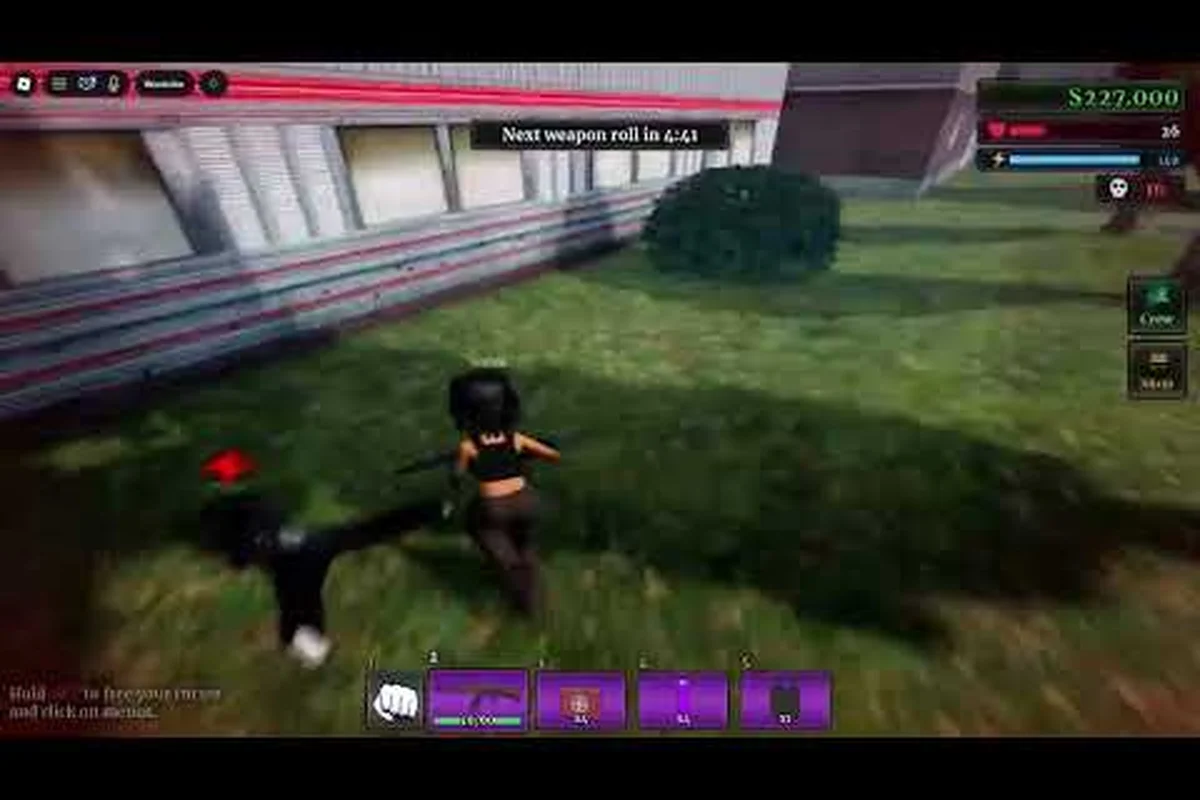
Urban Reload 101 matters because the right controls and combat habits can make a new player's first matches far more effective. This guide explains the platform differences, core mechanics, settings, and a practical approach to improving without relying on outdated information.
Urban Reload 101: What Every New Player Should Know
Urban Reload is built around movement, weapon handling, and fast decisions, so understanding those systems matters before chasing advanced techniques. The core loop is straightforward: find equipment, manage your position, read an opponent’s movement, and choose whether to engage or create space. A newcomer who learns that loop will usually progress more smoothly than one who only memorizes weapon names.
The game’s community materials cover different parts of the experience. An urban reload wiki search can help with terminology, while practical guides are better for learning the reasons behind a decision. For example, the Urban Reload beginner guide helps establish useful first-session habits, while this article focuses on the information needed to understand the game as a complete system.
| Beginner priority | Why it matters | Practical result |
|---|---|---|
| Learn movement | Positioning affects every encounter | Fewer attacks from exposed angles |
| Understand the weapon loop | Reloading and aiming create vulnerable moments | More consistent trades |
| Check the interface | Important information may be hidden by default | Faster situational awareness |
| Set controls before duels | Comfort reduces missed inputs | Better first-shot accuracy |
| Review each defeat | Matches reveal specific habits | Targeted improvement |
The game’s central mechanics
Movement is not merely a way to travel between locations. It is a defensive resource. Players can change distance, angle, and timing to make an opponent’s aim less reliable. This is why community footage often focuses on movement as much as weapon performance. Frizy’s Movement On Urban Reload video provides a visual example of how players use movement during actual encounters rather than treating the subject as an abstract menu topic.
Weapon handling adds another layer. Every exchange includes decisions about when to fire, when to reload, and when to leave cover. These decisions become easier when the player recognizes recurring patterns instead of treating every duel as a completely new situation. The aim-and-reload rhythm should feel deliberate, because firing while unprepared often creates a longer disadvantage than taking one safe repositioning step.
What a useful first session should accomplish
Your first session is not a test of maximum kills. It is a test of whether the controls feel understandable and whether you can survive long enough to learn. Aim to complete the basic equipment loop, identify familiar routes, practice a short movement drill, and record the situations in which you felt your aim was off.
For a first Urban Reload session, use the checklist to verify four concrete fundamentals: the PC or mobile sensitivity profile is stable, weapon pickup and magazine management are clear, and the reload animation completes without accidental movement or input errors. Try one practical case: reload during a quiet route, then repeat it while turning around a corner; this helps expose whether sensitivity or the weapon’s handling makes your aim drift. Track which step caused a miss—such as a delayed reload, an overcorrection, or a target leaving the reticle—so later sensitivity adjustments address the actual problem rather than random settings.
-
Spend time in a low-pressure area before seeking a duel.
-
Keep the camera in a position where nearby threats remain visible.
-
Practice stopping, turning, and accelerating separately.
-
Finish a full reload before entering another contested space.
-
Change one setting at a time so you can identify its effect.
The first-session goal is not perfect performance; it is building a repeatable routine that can survive the pressure of a crowded server. Use the opening minutes to establish a baseline on Urban Reload: note your current PC or mobile sensitivity, complete the equipment loop, and practice one short movement drill such as stopping, turning, and accelerating in sequence. If a missed shot follows a late magazine change or an overcorrection during a corner turn, record that link between action and error; it gives your later Urban Reload sensitivity adjustments a specific cause to test instead of encouraging blind changes. A useful benchmark is whether you can reload, reacquire a visible target, and leave the area without an avoidable death; this tests the full routine rather than raw kill speed.
Urban Reload PC vs Mobile: Control and Performance Differences
The urban reload pc vs mobile question has no single universal answer because the devices vary widely, but the priorities are clear. PC users generally have more physical room for precise mouse movement and larger key arrangements, while mobile users benefit from touch controls designed for portability. The best setup is therefore not automatically the one with more options; it is the one that lets you react without fighting the interface.
| Consideration | PC experience | Mobile experience |
|---|---|---|
| Primary aiming | Mouse movement offers fine directional control | Thumb movement depends on screen size and touch layout |
| Button access | More keys can separate movement, aiming, firing, and equipment actions | Buttons can crowd the aiming area |
| Visual space | Often allows a wider or more detailed interface | Reduced screen space may hide peripheral information |
| Session convenience | Best for sustained desktop play | Convenient for short sessions and portability |
| Main risk | Oversized sensitivity or uncomfortable key placement | Smudging, cramped controls, or reduced visibility |
Choosing the right PC setup
On PC, mouse sensitivity is the first setting to evaluate because it determines how far the view moves for a given physical motion. A setting that feels fast on a large monitor may feel uncontrollable on a small one. There is no universal number, and values shared by experienced players should be treated as starting points rather than rules.
The PC sensitivity match comes from mouse size, monitor distance, field of view, and personal reaction speed. Start at a moderate value, move the mouse a short distance, and check whether the target remains comfortably visible. If you must make large physical corrections every time, the value is probably too low. If every small hand movement sends the camera too far, it is probably too high.
Keyboard placement matters just as much. Keep frequently used actions within comfortable reach rather than scattering them across the desk. Players who alternate between movement, interaction, and combat should check whether their strongest fingers remain available when they need to strafe.
Adapting settings for mobile
Mobile players should prioritize clarity, reachable buttons, and comfortable thumb travel. A higher display refresh rate can make aiming and target tracking feel cleaner, although actual benefit depends on the device and network conditions. The mobile control tradeoff is that convenience may require sacrificing some screen area or separating actions into menus.
Try a clean layout before adding visual extras. Remove overlays that block the center of the screen, move secondary actions away from frequent aiming motions, and confirm that the interface remains readable during quick movement. If text or indicators are difficult to see, adjust display settings before adding accessories or complex workarounds.
A platform test before competitive play
Run the same basic exercise on your chosen platform: track a stationary target, strafe while turning, perform a full reload, and switch between movement and interaction. If one platform feels clearly less precise, play there while learning, but keep the limitation visible. Practicing under the actual input method is more useful than copying techniques recorded with different controls.
The platform decision should also reflect your environment. A desktop setup is generally easier to maintain for long sessions, while a phone or tablet is more accessible when availability is limited. Access matters because regular practice has more value than an occasional “perfect” session on ideal equipment.
Urban Reload Sensitivity and Settings That Improve Control
Urban Reload sensitivity is most useful when it serves a clear goal: keeping opponents readable while making deliberate corrections. Because sensitivity interacts with field of view and device size, copying one player’s number can create the opposite result. Treat community values as experiments, not universal answers.
| Setting | New-player priority | What to observe |
|---|---|---|
| Mouse or touch sensitivity | Very high | Can you center an opponent without overshooting? |
| Field of view | High | Does more visible space help, or does it shrink distant targets? |
| Visual quality | Medium | Can you read opponents without sacrificing smoothness? |
| Frame rate | Very high | Does movement remain stable under pressure? |
| Audio cues | High | Do footsteps or reload cues help you react? |
| Interface layout | High | Are critical indicators blocked or too small? |
Building a sensitivity baseline
Start with the current setting rather than changing several options at once. Complete a short movement test, aim at a familiar object, make a controlled turn, and note whether the target jumps past the center. Repeat the test in a less busy area, because background clutter makes it harder to judge whether the issue is sensitivity or attention.
The sensitivity baseline should make small corrections comfortable. Large movements are still necessary, but they should not feel accidental. If your view snaps to unwanted angles, reduce the value slightly and test again. If you struggle to acquire distant opponents, increase it modestly rather than making a dramatic jump.
Community players often discuss sensitivity adjustments, but their recommendations can reflect different hardware. A value that works for a low-sensitivity desktop setup may make a mobile player lose the target immediately. Compare relative control instead: does the player stop accurately, track a strafe, and recover from an overshoot?
Field of view and visual clarity
A wider field of view can reveal more surroundings, but distant characters may become smaller. A narrower view can make targets easier to distinguish while reducing peripheral awareness. Since Urban Reload encounters are often fast, the right choice depends on whether you lose fights because targets are hard to see or because they appear from outside your view.
Keep the target visible in practice. If you need to force the camera far around your character, the field of view or sensitivity may be poorly matched. If opponents are visible but difficult to identify, improve visual quality or interface clarity instead. The visual hierarchy should prioritize opponents, cover boundaries, and interaction prompts before decorative or secondary effects.
Frame rate and device stability
Smooth frame delivery helps with target tracking because visual movement becomes easier to interpret. A device that maintains a stable frame rate is often preferable to one that reaches a higher peak rate but stutters under pressure. Test in the locations where you expect to play, since interfaces, nearby players, and effects can place different demands on the device.
Lowering nonessential visual settings can improve stability. If performance remains inconsistent, close background applications or reduce the game’s display resolution while preserving your mobile-specific options. The performance baseline should be judged during movement and combat, not only while standing in an empty area.
Settings worth changing before anything else
Beginners often spend too long perfecting unrelated graphics choices. Prioritize movement stability, target visibility, and the location of essential controls. Once those fundamentals are stable, audio and interface improvements can add value without hiding the practical weaknesses in your setup.
For device-specific options, the Urban Reload mobile guide provides a useful companion for display and interface decisions. Keep a short record of every change so you can identify whether your results improved instead of repeatedly replacing settings without a clear method.
Urban Reload Core Combat Mechanics for New Players
Strong play begins with spacing. Distance changes the timing of an opponent’s movement and gives you more opportunities to react. Wide open areas can reward faster aim, while corners and narrow routes favor careful peeking. Beginners often move directly toward the first opponent they see; waiting for better information is usually the stronger choice.
| Mechanic | Beginner mistake | Better habit |
|---|---|---|
| Positioning | Standing still after acquiring a target | Move while keeping the opponent visible |
| Peeking | Exposing the entire body at once | Use the edge of cover and adjust gradually |
| Weapon handling | Firing during a reload | Use the reload window to create space |
| Target tracking | Following only the crosshair | Watch the opponent’s body and direction |
| Fight selection | Accepting every nearby confrontation | Evaluate distance, equipment, and escape route |
Read movement before committing
An opponent’s direction reveals intent, although it does not guarantee what they will do. Sudden movement may indicate a strafe, retreat, or attempt to break line of sight. A pause before turning can reveal hesitation. Watching the whole character instead of only the crosshair helps you interpret these changes with less delay.
The first-shot decision does not always favor attacking. If your target has better equipment, a clear angle, or room to maneuver, disengaging may create a safer next attempt. Community reports often describe successful players as selective, although the practical rule is simple: enter an encounter only when your route and resources support a fair chance of success.
Control the reload moment
Reloading creates a natural transition in a fight. You can use that moment to reposition, break the opponent’s tracking, or prepare for a different angle. Trying to reload while standing in the same exposed position often removes the tactical value of the reload entirely.
The reload reposition is particularly useful near corners. Start the reload only after confirming the next safe direction, because changing plans mid-animation can leave you vulnerable for longer. Once you understand the timing, you can reload earlier in safe spaces and enter fights with more usable ammunition.
Build a simple combat routine
A repeatable routine reduces decision fatigue. Begin by establishing distance, identify the opponent’s direction, confirm that your weapon is ready, and then decide whether to approach, strafe, or withdraw. Keep this order consistent while learning, because automatic habits usually improve faster than constant improvisation.
| Fight phase | Action | Reason |
|---|---|---|
| Acquisition | Locate the opponent and nearby threats | Awareness comes before aim |
| Setup | Choose an angle and useful cover | Position reduces exposed time |
| Commitment | Fire with a controlled correction | Accuracy comes from consistency |
| Reset | Reload or disengage | A controlled pause is safer than panic |
| Review | Identify the cause of the result | Each loss should produce one adjustment |
The four-part routine—acquire, set, commit, reset—remains useful when you change weapons, but each stage should be adapted rather than copied verbatim. For example, an SMG may support a closer setup angle than a sniper rifle, while a shotgun can make a late reset safer if the magazine runs dry. Use the same sequence to reduce decision fatigue, then practice weapon swaps until the transition takes little time and preserves cover. Mastery comes from repeating that decision process under pressure, not memorizing every possible exchange.
A Practical Progression Plan for Urban Reload Beginners
Progression should be based on observable weaknesses rather than an arbitrary checklist. After a match, review whether you lost because of positioning, aim, equipment, reaction speed, or an avoidable engagement. That classification gives you one concrete task for the next session and prevents random practice from becoming the default.
| Review area | Question to ask | Next-session action |
|---|---|---|
| Recognition | Did you notice the opponent early? | Practice scanning open routes |
| Positioning | Were you exposed when firing? | Use more cover and varied angles |
| Accuracy | Did shots miss because of sensitivity? | Test a small adjustment |
| Timing | Did you act before confirming the target? | Pause briefly after spotting movement |
| Equipment | Were you caught without a usable weapon? | Complete the earlier preparation step |
Your first ten matches
Use early matches to establish a routine rather than testing every weapon or setting. Spend the first portion learning movement, the middle portion confirming equipment, and the final portion practicing encounters. This prevents one late mistake from replacing the useful habits built during the match.
A practical ten-match structure divides progression into three phases: use matches 1–4 to learn movement, cover, sprint control, and basic sightlines; use matches 5–7 to test the loadout and compare sensitivity settings, including any difference between urban reload PC vs mobile control schemes; then use matches 8–10 for low-risk encounters. This staged approach makes it easier to identify whether a weak result came from positioning, reaction timing, weapon readiness, or a control setting that still needs adjustment.
-
Complete the basic loadout reliably.
-
Practice movement in one safe location.
-
Seek one or two low-risk encounters.
-
Stop before frustration turns small mistakes into reckless behavior.
Review each match in a consistent format. Note what worked, what failed, and the earliest point where you could have changed the outcome. The earliest decision point is often more valuable than the final mistake because it reveals whether the loss began with positioning, awareness, or weapon readiness.
Gradually add advanced techniques
Once basic movement and reload positioning are consistent, work on one advanced skill at a time. Examples include tracking a strafing opponent, pre-aiming a common corner, using movement to control a duel, or choosing fights based on available equipment. Practice each skill in isolation before combining all of them.
Do not add several new habits simultaneously. A player who changes sensitivity, field of view, key layout, and movement route in one session may improve but cannot identify which change helped. The one-change discipline makes the next adjustment more precise and protects the time invested in practice.
Use community information carefully
The official Urban Reload Discord server is a verified community hub for announcements, update discussion, recruitment, and matchmaking. Community channels and experienced-player clips can reveal current weapons, routes, and issues, but individual advice still needs testing because each player has different hardware and habits.
For visual examples, the community clip Dominating Entire Servers in Urban Reload shows how competitive combat can look in practice. Treat footage as an example of possible decisions rather than a guaranteed formula, and compare what the player shows with your own equipment and positioning.
A weekly review that produces results
At the end of a week, review three matches: one strong performance, one ordinary match, and one defeat. Identify a shared behavior across them. It may be late reloads, poor corner checks, or sensitivity corrections that repeatedly overshoot. Choose the most frequent problem and assign one measurable goal for the next week.
The weekly goal should be behavioral. “Aim more” is too broad, while “keep the opponent visible while strafing” is specific enough to observe. Once the behavior becomes more consistent, introduce the next technique. This incremental process makes urban reload 101 practical rather than merely descriptive.
Frequently Asked Questions
Is Urban Reload better on PC or mobile?
Neither platform is automatically better. PC usually offers more precise mouse control and greater interface space, while mobile provides portable access and touch-friendly controls. Choose the platform you can use most often, then optimize its layout and sensitivity. A comfortable setup practiced consistently is more valuable than theoretically superior equipment used rarely.
What sensitivity should I use in Urban Reload?
There is no universal sensitivity because mouse size, touch area, field of view, and reaction style differ. Start with a moderate setting, track a stationary target, and make small corrections without overshooting. If targets remain hard to acquire, adjust gradually. Record each change so you can judge the result rather than switching several settings at once.
Where can I find reliable Urban Reload information?
Use the official community server for announcements and update discussion, then combine those notices with player-created guides and videos. An urban reload wiki can help identify terminology, while instructional articles are better for step-by-step explanations. Cross-check current information because weapons, interfaces, and modes can change with updates.
Do I need the same sensitivity on PC and mobile?
No. PC and mobile should be tuned separately because the input methods and screen dimensions differ. A PC mouse value cannot simply be copied to a touchscreen, and a mobile setting may become uncomfortable when moved to a desktop. Match each setup to its own display, controls, and available space instead of chasing identical numbers.
What should a new Urban Reload player practice first?
Start with movement, target recognition, and reload positioning because these fundamentals affect every encounter. Use a consistent combat routine: locate the opponent, establish an angle, confirm your weapon is ready, and decide whether to commit or disengage. Record one problem after each match so practice targets a real weakness rather than adding random techniques.