
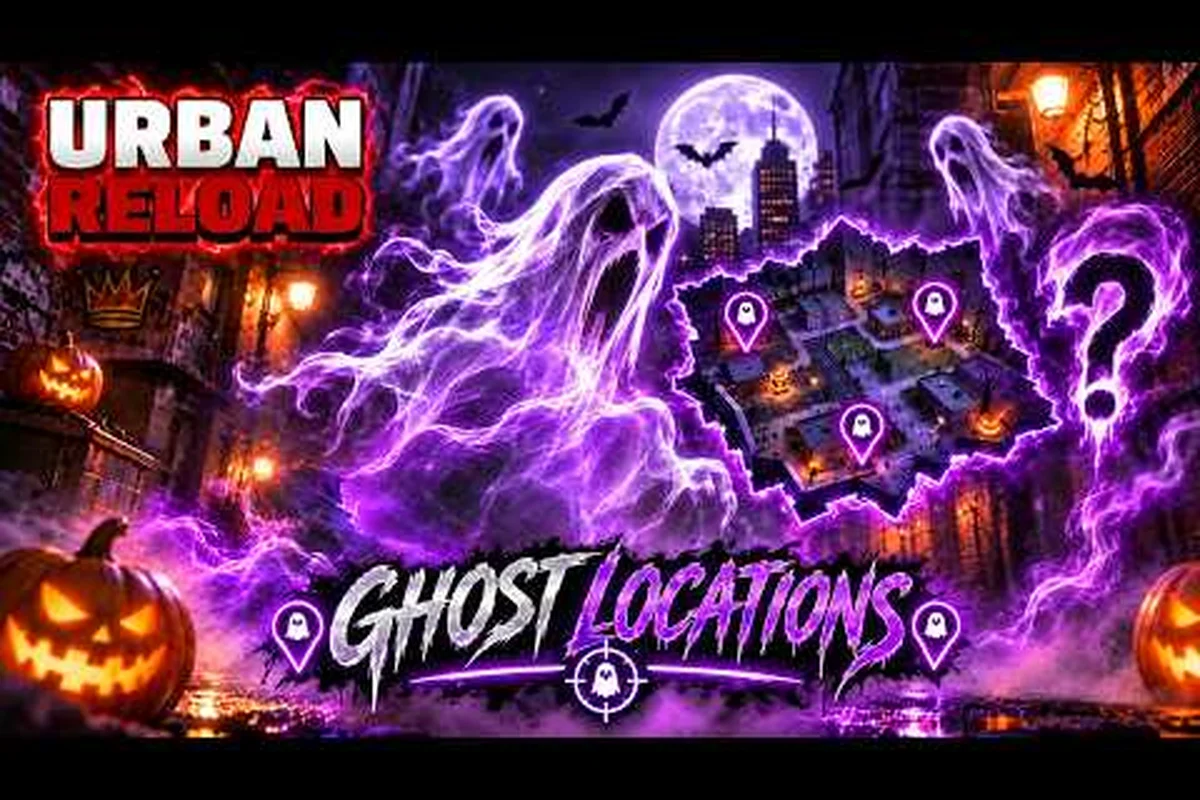
The Urban Reload new update matters because it adds a limited Halloween event, new ghost locations, and seasonal rewards that can change how players explore the map. Players checking the urban reload update today can use this guide to understand the event, compare community findings, and prepare efficiently.
Urban Reload New Update Overview
The Urban Reload new update centers on a seasonal Halloween theme rather than a completely separate game mode. The key additions reported by players include spooky event content, hidden ghost locations, and rewards connected to the urban reload halloween event. Because these elements are limited-time objectives, checking them early can prevent missing location-based rewards after the event ends.
The available community footage gives us two useful reference points. A short upload by urryuk focuses on secret ghost locations, while a longer session by IIGNiiS shows a broader playthrough of the event content. These are player recordings rather than official studio documentation, so they are most reliable for illustrating what can be encountered, not for claiming exact future behavior or universal spawn rates.
What the current update adds
The latest Urban Reload update appears to extend the existing exploration and activity structure through seasonal Halloween content, including the Halloween Event, Secret Ghost Locations, and Spooky Rewards. Rather than replacing the core activity loop, the patch layers new objectives, hidden encounters, seasonal items, and a spooky city atmosphere onto it, while also introducing gameplay refinements through its patch adjustments. This makes the update primarily additive: players continue familiar exploration and activity routes but gain optional event-driven tasks and rewards to pursue. Players should compare the official in-game event screens with the patch notes to confirm event availability, reward conditions, and any balance changes affecting progression.
| Update element | What players can do | Best verification |
|---|---|---|
| Halloween Event | Complete seasonal objectives and explore the map | Official in-game event screen |
| Secret Ghost Locations | Search specific map areas for hidden encounters | Community gameplay recordings |
| Spooky Rewards | Claim seasonal items or event progress | Event reward screen |
| Seasonal Atmosphere | Experience Halloween-themed content across the city | In-game exploration |
| Patch Adjustments | Review corrections or gameplay refinements | Official patch notes |
Players can also consult the Urban Reload event overview for broader seasonal-event context, including how the Halloween Event, Secret Ghost Locations, and Spooky Rewards fit into the wider release cycle. That comparison is useful for distinguishing event-limited objectives and unlockable rewards from persistent progression systems, while clarifying where the Urban Reload patch adjustments may affect activity pacing, reward requirements, or city exploration routes.
Check Event Availability First
Before starting a hunt, open the in-game interface and confirm all of the following, starting with the current Urban Reload update rather than relying on an outdated guide or another account’s display. Check the event availability screen, event quest page, limited-reward claim window, and map markers before moving to a Halloween objective; this avoids wasting a run when a platform rotation has hidden the event or changed which rewards are still claimable.
-
The event banner is visible and the timer is displayed.
-
The event quest page lists completed and incomplete objectives.
-
Any limited reward can be claimed before the closing date.
-
The map contains the expected Halloween markers.
-
Ghost-related progress is recorded separately from ordinary activity rewards.
This quick check prevents the most common problem in limited events: discovering late that one objective still needs several precise map visits. Because server timing and event rotation can vary by platform or version, players should rely on their own interface rather than assuming every player sees the same countdown.
Halloween Event and Spooky Rewards
The urban reload halloween event gives players a seasonal reason to revisit familiar streets, buildings, and hiding places. The useful part of the event is its structure: ghost locations create specific search targets, while the broader event track provides progress milestones. That makes the update more focused than a simple costume release because exploration results directly affect completion.
Community footage comparison
The two verified community videos offer different perspectives on the urban reload halloween update. The shorter clip is designed for location discovery, whereas the extended session is better suited to seeing the event in the context of a normal play session.
| Video | Author | Runtime | Primary value | Source type |
|---|---|---|---|---|
| Secret ghost-location gameplay by urryuk | urryuk | 1:10 | Quick reference for hidden ghost spots | Community footage |
| Halloween update gameplay by IIGNiiS | IIGNiiS | 1:29:44 | Extended look at seasonal event activity | Community footage |
Because the first upload is only 1 minute and 10 seconds long, treat it as a compact clue list rather than a complete route. The 1-hour, 29-minute, 44-second session provides more context, but it may also show optional exploration rather than an optimal event checklist.
A practical event route
The best way to use the footage is as a route-planning tool. Group the ghost clues by nearby landmarks, then clear each area methodically. Start with accessible outdoor locations before checking enclosed spaces, because a narrow search is less rewarding when several event markers remain unexplored elsewhere.
A useful four-stage method is to turn each ghost clue into a targeted search route, compare the reported landmarks before setting off, and work through the Urban Reload event in a fixed order. For example, if two clues point to the same street or courtyard, clear that cluster together instead of revisiting entrances one by one; then move to the next accessible marker. This reduces wasted travel during the limited event window and makes it easier to track which Urban Reload ghost objectives remain unfinished.
-
Review the clues: Identify the landmark or visual feature associated with each reported ghost.
-
Search the immediate area: Check entrances, nearby corners, and spaces that are easy to overlook during ordinary movement.
-
Complete the event objective: Confirm the discovery or interaction through the quest interface rather than relying only on visual cues.
-
Claim progress: Save rewards immediately so temporary inventory issues do not interrupt the run.
The Urban Reload update rewards overview can help players organize event progress, limited unlocks, and rewards that should be claimed before their availability window closes. Use it as a checklist after completing each Urban Reload ghost objective, recording the unlock, expiry condition, and claim status rather than relying on memory. This matters during the Halloween event because a temporary inventory problem can leave a reward unclaimed even after its related discovery is finished. Comparing the reward list with completed quest objectives also reveals which items still require a final pickup, allowing players to prioritize the nearest accessible Urban Reload marker before the event window ends.
Ghost Locations and Exploration Changes
The ghost locations are the most visible community-reported feature of this release. A short video by urryuk, titled I Found All the Secret Ghost Locations, documents the locations at a glance. However, “all” in a video title does not guarantee that every player can access every location under the same conditions, so use the footage as a starting point and confirm progress in the game.
How to verify a ghost location
Finding a visual detail does not always mean that the event interaction has registered. Players should verify a discovery through the event tracker or objective list. If the tracker remains unchanged, return to the same landmark, face the suspected direction, and interact again after moving a short distance.
| Situation | Likely explanation | Practical response |
|---|---|---|
| Marker appears but no progress | Interaction was not registered | Leave and re-enter the interaction area |
| Progress does not update | Objective may require a specific action | Read the exact prompt in the quest panel |
| Location looks different | Map layout may vary by version | Compare landmarks, not one exact screenshot |
| Ghost is not respawning | Event state may have changed | Check the event timer and current objective |
This verification step matters in the urban reload Halloween event because the spooky-event marker can persist after its interaction has already been completed, so seeing it does not prove that another activation is still available. Check the event tracker for recorded progress instead of relying only on the object’s appearance. For example, if a ghostly effect remains near a landmark but the tracker already lists that ghost location as complete, leave and re-enter the area; a fresh marker without new tracker progress may simply be a leftover visual cue.
Search patterns that save time
Short urban reload latest update videos work best when treated as clue cards. Note the building shape, nearby vehicles, street color, signs, and directional landmarks. A distinctive wall, alley entrance, or parked vehicle can often be described more accurately than an exact camera angle.
Use three search patterns: visual landmarks, object-state changes, and route comparison. For example, record the building shape beside a purple vehicle and note whether a doorway is open before and after the Urban Reload halloween event triggers. If that location still matches but the vehicle has moved, trace nearby alleys rather than restarting the same route; comparing two passes also helps separate temporary street clutter from reliable navigation points.
-
Perimeter sweep: Walk around a block and inspect exterior edges, gaps, and narrow passages.
-
Entrance audit: Check each accessible doorway, window, and corner rather than assuming every entry leads to the same object.
-
Elevated glance: Look for event objects from a stable elevated position before approaching, which can reveal sightlines blocked by street clutter.
Community reports indicate that this event rewards deliberate exploration, with the strongest clue often coming from how the surrounding scene changes rather than from the reward itself. If you want broader seasonal planning, compare those search patterns with the event and map coverage in the Urban Reload content drop overview. For example, note whether the same doorway remains accessible across multiple reloads: a blocked entrance during one Urban Reload halloween event trigger may indicate temporary event closure, while a moved vehicle can reveal a practical alternate route. This makes visual landmarks, object-state changes, and route comparison more reliable for planning than relying on a single camera angle.
What the Current Patch Actually Confirms
The available source material confirms the Halloween content, but it does not provide a complete developer-written patch log. As a result, the urban reload patch notes should be divided into verified additions and unresolved gameplay questions. This distinction prevents community footage from being mistaken for an official statement about every system affected by the patch.
Confirmed and unresolved patch details
| Topic | Current evidence | Confidence |
|---|---|---|
| Halloween-themed event | Shown in both community videos | High |
| Secret ghost locations | Demonstrated by urryuk’s footage | High |
| Extended seasonal gameplay | Featured in IIGNiiS’s session | High |
| Exact reward quantities | Not provided in the supplied sources | Unverified |
| Map-wide balance changes | No official notes supplied | Unverified |
| Permanent availability of ghosts | Not established by the footage | Unverified |
Players looking for the urban reload update today should check the official in-game notice, patch panel, and social announcements for final numerical details. The Urban Reload server maintenance and bug-fix notes can provide a place to track whether reported issues have been acknowledged, but they should not replace the live announcement for event-specific corrections.
What to verify after downloading the patch
After installing the Urban Reload update, compare the current Halloween event with earlier footage before moving into a full session. Check the event timer and objective panel, then record whether the same steps, counters, and reward icons appear as before; a changed layout may reflect a patch-note UI adjustment, while a missing counter can signal that event progression or saved progress failed to load correctly.
-
Event access: Confirm that the Halloween panel opens and displays your progress.
-
Ghost encounters: Check that at least one documented location interacts correctly.
-
Reward claiming: Open the reward screen and verify that completed objectives can be collected.
This three-part test catches common problems faster than entering a long event session. It also separates a seasonal-content problem from an unrelated connection or inventory issue. If the event panel is unavailable, restart the client once and confirm that the installation completed before seeking further help.
Best Ways to Complete the Urban Reload Spooky Event
Efficient completion comes from combining route planning with frequent progress checks. The most useful community clips are short and focused, so players can review them before exploring rather than interrupting a run to search footage. The longer recording is valuable for understanding the event’s pace, but it is less efficient as a direct checklist.
Route planning checklist
Before leaving the starting area, prepare a simple route from the available ghost-location video: mark the building entrance, nearby alley, and any landmark visible in the clip, then order those points by walking distance. This prevents backtracking during the first sweep and helps you retrace the ghost’s path if the seasonal objectives do not register.
| Route stage | Player action | Expected result |
|---|---|---|
| Preparation | Review one short location clip | Familiar landmarks noted |
| First sweep | Check open, visible areas | Easy ghost clues found |
| Second sweep | Inspect entrances and side spaces | Less obvious locations checked |
| Verification | Open the event tracker | Confirmed objectives recorded |
| Rewards | Claim completed milestones | Seasonal progress secured |
The important distinction is between finding a clue and completing an event action. Walking near a ghost-like object may not count if the game requires an interaction. Conversely, an area can look empty after a nearby interaction has already been completed, which may cause players to waste time searching again.
Handling confusing spawns
The current sources do not establish fixed cooldowns, guaranteed spawn schedules, or identical coordinates for every session. Therefore, avoid strategies that depend on an exact timer unless the official event screen confirms it. Instead, use the shortest possible route through a location and leave once no interaction prompt appears.
If the objective remains incomplete, cycle through the other reported locations before repeating the same spot. This approach helps distinguish a missed prompt from an event-state issue. It also makes it easier to determine whether the problem is localized to one area of the map.
Event Rewards and Limited-Time Priorities
Limited-time content creates a clear priority order. Players should handle time-sensitive objectives first, then collect rewards, and only afterward explore optional areas for hidden ghosts or completionist items. That sequence reduces the risk of finishing an exploration route with little time left to claim an event milestone.
Priority order
The urban reload Halloween update should be handled in three passes: first review the event timer and panel so you can identify the active Halloween objectives before the seasonal window closes; next, use the short community clip to narrow down reported ghost locations and avoid unnecessary searching; finally, check the completed-reward tracker and claim every eligible reward, since unclaimed rewards may leave seasonal progress incomplete even when the main activity is finished. This order keeps the event panel as the source of truth while treating community footage as a discovery aid.
-
Objective pass: Complete the core activity visible on the event panel.
-
Ghost pass: Use the short community clip to check reported locations.
-
Reward pass: Claim all completed rewards and confirm seasonal progress.
| Priority | Task | Reason to do it early |
|---|---|---|
| 1 | Review the event timer | Confirms remaining availability |
| 2 | Complete core objectives | Advances the main event track |
| 3 | Search ghost locations | Supports hidden discovery progress |
| 4 | Claim rewards | Prevents completed progress from expiring |
| 5 | Revisit old favorite areas | Improves overall exploration efficiency |
Community footage can reveal what to search for, but the event screen remains the authority on what your account has completed. Keep those two sources separate: use the short clip to identify reported ghost locations, then verify each objective, reward, and seasonal progress marker in the event panel. For example, if footage shows a ghost appearing near a specific building, search that area first, but claim progress only when the completed-reward tracker confirms it; this avoids mistaking a successful discovery for a credited Halloween objective while the event timer is still running.
Reward-checking routine
After each location, open the tracker rather than assuming the discovery registered. If it has advanced, claim the related reward immediately. If it has not advanced, compare your surroundings with the landmark description, because a slight difference in camera position can make a familiar place look unfamiliar.
For a broader view of limited items and earlier seasonal rewards, the Urban Reload update history and rewards guide provides useful context for comparing seasonal additions without treating community footage as a formal patch history.
Frequently Asked Questions
What is included in the Urban Reload new update?
The current update includes a Halloween-themed event, ghost-related exploration content, and seasonal rewards. Verified community footage shows both an extended event session and a short ghost-location guide, while exact reward totals and map-wide changes should be confirmed through the in-game event and patch interfaces.
Where are the new ghost locations in Urban Reload?
Community footage identifies secret ghost locations using visible landmarks, buildings, and nearby environmental details. The shortest available guide runs 1 minute and 10 seconds, making it useful for a quick route reference, but you should confirm each discovery through the event tracker because individual map layouts may vary.
Is the Urban Reload halloween event limited time?
Limited-time availability is standard for seasonal events, but the exact end date and daily reset schedule are not supplied by the verified sources. Open the event panel when you start playing to confirm the timer, and claim completed objectives promptly so progress is not lost when the event closes.
Are there official Urban Reload patch notes for this release?
The verified material supplied for this update is community gameplay rather than a complete developer changelog. Check the official in-game announcement or patch panel for exact balance values, reward quantities, bug corrections, and any changes affecting systems not shown in the Halloween footage.
Should players watch the full Halloween update gameplay video?
The full session is useful for seeing the event within a normal play session, but the 1:10 ghost-location video is faster for route planning. Use the long recording for context and the short one for targeted searching, then let the in-game tracker determine which objectives are actually complete.