
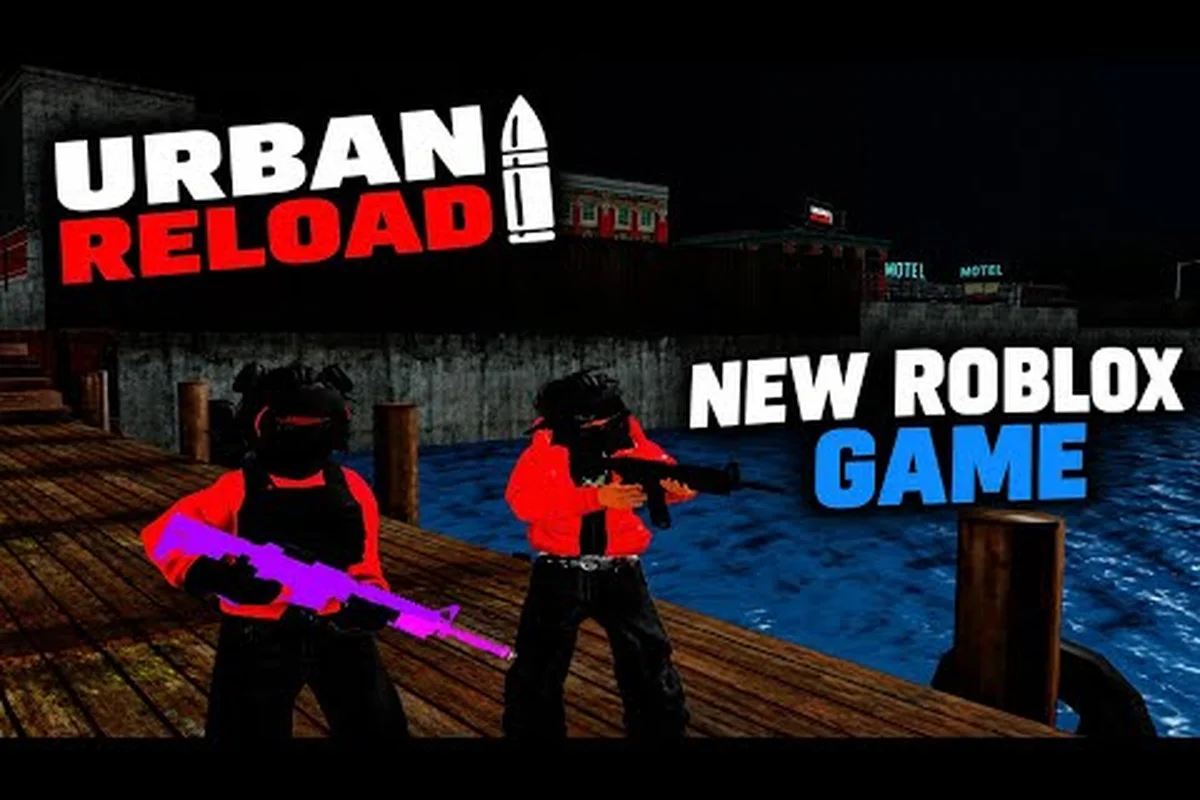
Choosing whether to create a crew in Urban Reload affects more than your social label: crew structure influences who handles recruiting, how activities are organized, and how members gain recognition. Compare the available crew roles, rank progression, and joining requirements before committing, because a mismatched setup can limit coordination or leave recruitment slots unfilled. A well-structured crew also gives new members clear expectations, helping the group recruit effectively and remain active rather than losing momentum after launch.
How to Start a Crew in Urban Reload
Starting a group in Urban Reload is most useful when it gives friends a shared home, a recognizable tag, and clear ways to participate. The crew system brings players together, while ranks and perks add structure for active teams. Knowing which fields to choose before inviting members prevents avoidable setup changes.
Finding the Crew Menu
Open the main game interface and locate the crew or social panel. The exact icon can shift with interface updates, so use the menus that include Crew, Teams, or Social as labels. If the panel is not visible, check the side tabs and close any active shop or loadout overlay before opening it again.
The key distinction is between an existing crew and a new one. Selecting an established crew may show its roster, tag, and member count, while a creation option should let you enter a new name. On mobile layouts, rotate the device if a small control is difficult to tap, and consider the controls covered in the Urban Reload mobile guide.
| Setup element | What to prepare | Practical reason |
|---|---|---|
| Crew name | Two or more distinctive words | Makes the group easier to recognize |
| Tag | A short form of the name | Helps members identify one another |
| Joining rule | Closed, request-based, or open | Controls who can enter without approval |
| Leader objective | Active play sessions | Prevents a roster from becoming inactive |
| Founding plan | First invitations and roles | Gives the team a clear start |
Choosing a Memorable Crew Identity
A strong name should be easy to communicate in chat without spelling out every letter. A short tag works best when it remains readable over busy combat effects. Test several options on mobile and desktop because a name that feels clear in one interface may be harder to scan in another.
Avoid names that imitate existing crews or contain unnecessary punctuation. Original combinations are easier to remember and reduce confusion when players search for your team. The most useful identity is not merely dramatic; it should identify your crew at a glance.
Urban Reload Crew Setup Checklist
A reliable setup prevents the most common early problems: lost invitations, duplicate roles, and a roster with no defined purpose. Urban Reload how to make a crew guidance should focus less on creating an impressive label and more on making the group operational. Decide who handles recruitment, who plans activities, and how members receive direction before the roster expands.
Preparing Before You Invite Members
Choose a short list of people who fit the crew’s intended style. A focused crew can work around a specific schedule, preferred game mode, or skill range. Pin down those expectations privately so the first few members understand what “active” means before accepting a larger group.
| Decision | Best choice for | Avoid |
|---|---|---|
| Membership | Trusted friends for a private team | Adding strangers without rules |
| Leadership | A visible founder plus one backup | Leaving every task with one person |
| Activity | A regular schedule players can sustain | Promising daily play without commitment |
| Communication | One clear channel and decision owner | Splitting instructions across several places |
| Growth target | A manageable first roster | Recruiting faster than members can join |
A backup organizer is especially valuable when the founder is unavailable. This person can approve routine requests, update the roster, and keep the team’s stated activity schedule current. It creates continuity without requiring every member to become an administrator.
Setting the Joining Rule
Closed crews provide the most control, but joining a crew later may be difficult for players who cannot enter through a direct invitation. Request-based membership offers a balance: visitors can show interest, while leaders approve applicants who fit the roster. Open membership supports fast growth but makes consistent communication more important.
| Joining rule | Control | Best for | Main responsibility |
|---|---|---|---|
| Closed | Highest | Private friend groups | Maintain accurate invitations |
| Request-based | High | Competitive or scheduled teams | Review requests fairly |
| Open | Lower | Social groups focused on activity | Moderate behavior and churn |
Choose the rule before announcing the crew widely. Changing it later can disrupt invitations and leave prospective members unsure which path to use. Players learning the broader system can also use the Urban Reload complete guide for a wider look at game setup and cooperative play.
Urban Reload Crew Guide to Ranks and Leadership
Ranks give a crew a visible hierarchy, but they work best when each level has a meaningful responsibility. Urban Reload crew ranks should communicate trust and authority, not merely decorate a profile. The useful question for every title is: what can this member do, and who is accountable for those actions?
Assigning Roles That Produce Clear Responsibilities
The founder normally holds the highest position because the person creating the crew controls its initial setup. Other positions can be based on activity, experience, or administrative duties. Whatever the displayed labels, record the actual responsibilities so that promotions do not create confusion about authority.
| Responsibility | Member action | Why it prevents problems |
|---|---|---|
| Founder | Sets identity, rules, and leadership | Keeps the group’s direction coherent |
| Officer | Reviews membership requests | Speeds up recruitment decisions |
| Activity lead | Schedules group objectives | Creates a reason for members to return |
| Recruiter | Reviews candidates and welcomes players | Protects the quality of the roster |
| Member | Participates and follows crew rules | Maintains a useful shared identity |
A role without a job tends to feel decorative. For example, an activity lead should own a schedule or recurring goal, while a recruiter should track applicants and welcome accepted members. Delegation works best when each person receives one clear responsibility and a way to report back.
How Promotion Works in Practice
Urban Reload crew system explained through practical behavior means focusing on trust, contribution, and readiness for more responsibility. Promotions should follow a pattern members can understand, even if the interface does not display a formal score. Consistency reduces disputes and encourages active members to keep contributing.
Use three signals when assessing readiness for an Urban Reload crew promotion: participation across planned activities, respectful conduct under group conditions, and dependence shown by completing a limited responsibility without constant founder supervision. For example, a member who regularly coordinates a crew activity and can brief newer members should be ready for a small officer task, such as reviewing applications, before receiving broader authority.
-
Participation: The member attends planned activities and responds reliably.
-
Conduct: The member follows crew rules and communicates respectfully in group settings.
-
Dependence: The member can handle a small responsibility without constant founder supervision.
Members should know who proposes promotions and who makes the final decision. Announce the result in a way that recognizes the new duty rather than only the title. A new officer can then begin with a limited task, such as reviewing applications, before taking on broader authority.
Urban Reload Crew Perks and Member Benefits
Perks turn membership into a practical benefit rather than a title with no value. The exact bonuses available to a crew can change with game updates, so players should verify the current in-game list before planning around a specific reward. The dependable principle is that organized crews make communication, events, and shared progression easier.
Perks Worth Prioritizing for New Crews
Begin with benefits the entire roster can use. A shared activity calendar, recognizable tag, and clear invitation process often matter more than a narrow individual reward. These features help new members understand where to go and what the crew expects, especially during the first few sessions.
| Crew benefit | Practical value | Best time to prioritize it |
|---|---|---|
| Shared crew tag | Improves recognition during group play | When the roster begins expanding |
| Member announcements | Helps coordinate events and reminders | Before regular sessions begin |
| Invite controls | Reduces confusion around entry | When requests start increasing |
| Role indicators | Shows who manages requests and events | Once duties are delegated |
| Activity history | Builds continuity for returning members | After the first regular gathering |
Urban Reload crew perks should be evaluated around coordination. A new crew that can reliably assemble five interested players may be more valuable than one with many members who rarely attend. Compare the roster’s activity with its size, and emphasize the perks that remove friction from planning and communication.
Making Perks Visible to Members
A feature only creates value when members know it exists. Add a short explanation of each benefit to the crew description, then explain who can use it and when it becomes relevant. If a perk depends on rank, give members a clear path toward qualifying rather than leaving the requirement vague.
| Perks question | Clear answer | Example response |
|---|---|---|
| Who receives it? | Identify the rank or role | Officers can approve requests |
| When is it used? | Give a concrete trigger | Announcements appear before events |
| Why does it matter? | Connect it to a benefit | Members know where to gather |
| Who maintains it? | Assign responsibility | The activity lead posts the schedule |
Treat community reports as temporary evidence, not permanent crew rules. Because patches can change the Urban Reload crew interface, perk names, or rank requirements, an early player report may only describe an outdated client state. For example, if members report that a perk appears in the crew menu immediately, check the current game client before assigning it to a specific rank or making it part of a crew announcement. This matters especially when explaining Urban Reload crew perks: inaccurate instructions could prevent members from accessing a benefit, qualifying for the wrong crew rank, or completing an event requirement. Confirming the current client keeps the crew description accurate and prevents temporary observations from becoming misleading expectations.
Joining and Growing an Urban Reload Crew
A crew becomes sustainable when it balances recruitment with retention. Urban Reload join a crew searches should lead to a group that explains its purpose, reviews applicants consistently, and gives members a reason to stay. Growth alone is not the goal; reliable participation is what makes a roster useful.
Finding the Right Crew to Join
Search by name or tag and inspect the visible information before applying. Look for a stated activity schedule, a clear joining method, and evidence that the crew is active. A smaller team with recent events can be a better fit than a large roster with no visible plans.
| Evaluation point | Strong sign | Warning sign |
|---|---|---|
| Purpose | Crew states what members do together | Generic description with no plans |
| Leadership | Roles or responsibilities are visible | Requests receive no response |
| Activity | Regular events or recent participation | Large roster but little activity |
| Atmosphere | Clear rules and welcoming communication | Excessive promotion or spam |
| Expectations | Schedule and requirements are specific | Unlimited promises that cannot be sustained |
If a crew is closed, ask a member or leader for an invitation rather than repeatedly attempting to join. The Urban Reload beginner guide provides useful context for finding social controls and learning the interface, especially if menus are rearranged after an update.
Retaining Members Without Overpromising
Recruit for commitment rather than raw numbers. Explain the normal weekly activity, the preferred play style, and how decisions are made before a new member joins. That clarity prevents the common mismatch where a player expects constant competition while the crew favors casual sessions, or the reverse.
A useful review cycle starts with a lightweight baseline: record each member’s typical attendance, preferred Urban Reload mode, and willingness to handle a crew responsibility. For example, if a player attends three of four weekly sessions and can organize a pre-match lobby, mark that consistency before evaluating them for a crew rank. Comparing activity, reliability, and role readiness prevents a popular player from being promoted simply for winning while quieter, dependable members are overlooked. Use the same criteria each cycle so the crew roster reflects actual participation rather than personal favoritism.
-
Watch early activity: Note which members attend and contribute.
-
Collect concerns privately: Address rules, scheduling, or role problems directly.
-
Assign useful duties: Give reliable members responsibility that fits their availability.
-
Recognize consistent effort: Appreciation can be as simple as acknowledging dependable participation.
-
Remove inactive clutter: Archive inactive members when the roster becomes difficult to manage.
For PvP-focused groups, the Urban Reload FFA guide can help members choose a mode that matches their crew’s intended activity. Matching the mode to the group’s identity keeps recruitment messages specific and reduces trial-and-error.
Managing Crew Activity and Communication
Even a well-created crew needs a routine. Urban Reload crew guide planning should establish where updates live, who makes them, and how members respond. This prevents a founder from becoming the only person coordinating every invitation, reminder, and role change.
Building a Lightweight Management Routine
Choose one communication channel for official crew updates. Use the crew’s own announcement or event features when they cover the need, but keep a second location for longer explanations and immediate coordination. Avoid splitting routine decisions across several services, because members may miss instructions in the channel they rarely check.
| Routine task | Suggested frequency | Responsible member | Record kept |
|---|---|---|---|
| Event announcement | Before each activity | Activity lead | Date, mode, meeting point |
| Request review | Two or three times weekly | Officer | Approval status and reason |
| Roster review | Weekly | Founder or backup | Active and inactive status |
| Role update | After a member qualifies | Founder | Title and responsibility |
| Rules review | When needed | Founder | Current version and change date |
Keep each crew announcement short, actionable, and easy to scan. State the activity, start point, required equipment, and the crew member responsible for questions—for example: “Urban Reload squad run, meet at the North spawn point; bring your vehicle and loadout. Ask Alex about vehicle requirements.” This format reduces confusion during event announcements and helps the activity lead turn the announcement into a full turnout.
Handling Disputes and Role Changes
Address conflicts through the crew’s established leader. Give the people involved a chance to explain the issue, keep the discussion focused on behavior and responsibilities, and apply the written rules consistently. Personal disagreements should not become public spectacles that make newcomers uncomfortable.
When a member becomes more reliable, promote them gradually. If they stop contributing, adjust responsibilities or move them to an inactive status rather than leaving unclear promises in place. This makes the crew ranks meaningful because each change corresponds to an observable change in role.
Frequently Asked Questions
Can anyone create a crew in Urban Reload?
A player can normally begin a new group through the crew menu, provided the account meets the current requirements. Exact access conditions may change with updates, so open the in-game panel for the authoritative status. A new crew still needs a name, tag, joining rule, and an initial plan for member activity.
How do I join a crew in Urban Reload?
Search for a crew by its name or tag, open its profile, and use the available join or request option. Some crews are closed and require a direct invitation, while others accept requests or allow open entry. If your search returns no result, confirm the spelling and ask a member for the exact tag before trying again.
What are the crew ranks in Urban Reload?
Crew ranks commonly distinguish the founder, officers or leaders, and regular members, although exact titles can vary by version. The most important distinction is authority: senior members can manage requests or activities, while regular members participate. Confirm the available titles and permissions in the current crew management panel.
Do Urban Reload crew perks expire?
Perk behavior depends on the specific benefit and current game version. Some may be tied to membership, rank, or an active event, while others may function as lasting convenience features. Check the perk description for duration and activation conditions before planning activities around it, and treat community reports as provisional until verified in-game.
How many members should a new Urban Reload crew recruit?
Start with a manageable number of active players rather than adding names without a purpose. A small founding group can establish roles, test communication, and schedule reliable activities before expansion. Review actual attendance, promote dependable members, and grow only as fast as the leadership team can manage applications and member needs.